Twenty Twelve | How to Remove "Leave a reply" under the post title
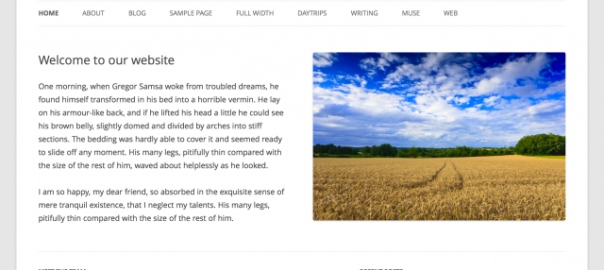
Twenty Twelve in 1.1
Introducing the way to remove "Leave a reply" which will take you to comment area by clicking.
This is referred in content.php. so you should copy it into child theme directory and just comment out div element with [class="comments-link"]
[php]
<?php if(0){ // comment-out ?>
<?php if ( comments_open() ) : ?>
<div class="comments-link">
<?php comments_popup_link( '<span class="leave-reply">' . __( 'Leave a reply', 'twentytwelve' ) . '</span>', __( '1 Reply', 'twentytwelve' ), __( '% Replies', 'twentytwelve' ) ); ?>
</div><!-- .comments-link -->
<?php endif; // comments_open() ?>
<?php } // comment-out ?>
[/php]
Related
 Twenty Twelve | How to change "Proudly powered by WordPress" for Copyright*
(日本語) 投稿タイトルのtitle属性を削除など Twenty Twelve 1.2での変更点
Twenty Twelve | How to unlink Open Sans font
Twenty Twelve | How to change "Proudly powered by WordPress" for Copyright*
(日本語) 投稿タイトルのtitle属性を削除など Twenty Twelve 1.2での変更点
Twenty Twelve | How to unlink Open Sans font
 (日本語) Twenty Fourteen "コメントをどうぞ"の非表示と変更方法
(日本語) Twenty Twelve サイトタイトルをテキストから画像に置き換え
(日本語) Twenty Twelve 投稿日・投稿者を非表示に
(日本語) Twenty Twelve カスタマイズ
(日本語) アバターサイズの変更など Twenty Twelve 1.3での変更点
(日本語) Twenty Fourteen "コメントをどうぞ"の非表示と変更方法
(日本語) Twenty Twelve サイトタイトルをテキストから画像に置き換え
(日本語) Twenty Twelve 投稿日・投稿者を非表示に
(日本語) Twenty Twelve カスタマイズ
(日本語) アバターサイズの変更など Twenty Twelve 1.3での変更点

関連記事
-
-
(日本語) Twenty Thirteen テーマ用フォント "Source Sans Pro" / "Bitter"の使用を止
Sorry, this entry is only available in 日本語.
-

-
(日本語) 投稿タイトル(entry-title)を非表示にする
Sorry, this entry is only available in 日本語.
-

-
(日本語) 独自のCSSやJSを読み込む
Sorry, this entry is only available in 日本語.
-
-
(日本語) 「固定ページ」ウィジェット カスタマイズ
Sorry, this entry is only available in 日本語.
-
-
(日本語) 「編集(Edit)」リンクの非表示方法
Sorry, this entry is only available in 日本語.
-
-
(日本語) アバターサイズの変更など Twenty Twelve 1.3での変更点
Sorry, this entry is only available in 日本語.
-
-
(日本語) 多言語化プラグイン「qTranslate」
Sorry, this entry is only available in 日本語.
-
-
(日本語) Twenty Twelve 投稿日・投稿者を非表示に
Sorry, this entry is only available in 日本語.
-

-
(日本語) 「続きを読む」(moreタグ)をカスタマイズ
Sorry, this entry is only available in 日本語.
-
-
(日本語) Twenty Twelve サイトタイトルをテキストから画像に置き換え
Sorry, this entry is only available in 日本語.






Comment
Thanks for finally talking about >WordPress - Twenty Twelve "コメントをどうぞ"を消す
<Liked it!
[…] Twenty Twelve “コメントをどうぞ”を消す […]
コメントをどうぞを消す!! ☆Twenty Twelve https://t.co/NOMlvVCMCR
わかりづらすぎんだよ
.comments-link {
display: none
}
をstyle.cssのどこにいれるかをかけよ
末尾に追加すればイイですよー
[…] 参考にさせて頂いたブログ TwentyTwelve”コメントをどうぞ”を消す […]
[…] Think deeply, Do less, More effective […]
Twenty Twelve http://t.co/kJDHOGX8fw タイトル下の「コメントをどうぞ」の消し方。子テーマのcss?
[…] なりスッキリしました。これは懸案の一つでわからなかったので、検索しました。http://kwski.net/wordpress/983/ を参考にさせていただきました。少し文章がわかりにくかったですがソースみ […]
[…] 書くと、タイトルの下に「コメントをどうぞ」というコメント欄へのリンクが表示されます。 これを表示しないようにカスタマイズします。 Twenty Twelve “コメントをどうぞ”を消す […]
[…] ○”コメントをどうぞ”の非表示 Think deeply, Do less, More effective […]
[...] hink deeply, Do less, More effective WordPress: Twenty Twelve “コメントをどうぞ”(タイトル下)を消す [...]
[...] Think deeply, Do less, More effectiveより 「WordPress: Twenty Twelve “コメントをどうぞ”(タイトル下)を消す」 [...]
WordPress: Twenty Twelve "コメントをどうぞ"(タイトル下)を消す | Think deeply, Do less, More effective" http://htn.to/HFu7sN
[...] WordPress: Twenty Twelve “コメントをどうぞ”(タイトル下)を消す | Think deeply, Do less, More effective [...]